Showing posts with label PHP. Show all posts

PHP function for removing URLs in string


While filtering URL information within tweet, function with regular expression to find and replace it is needed. The remove_URL() function below could do exactly what I want to do:)

PHP function for removing URLs in string:

1:  <?php  
2:  $string = "100% 준비되면 하겠다는 것은 하늘나라 가서 시작하겠다는 겁니다..http://t.co/S2sTmdF45o";  
3:  echo remove_URL($string);  
4:  function remove_URL($html){  
5:    return $result = preg_replace(  
6:      '%\b(([\w-]+://?|www[.])[^\s()<>]+(?:\([\w\d]+\)|([^[:punct:]\s]|/)))%s',  
7:      '',  
8:      $html  
9:    );  
10:  }  
11:  ?>  

PHP - difference between print_r() and var_dump()

1:  <?php  
2:       $a = array('name'=>"Alice", 'age'=>35,'wife'=>'Blia');  
3:       print_r($a);  
4:       //print_r can not be displayed by print_r()  
5:       echo "print_r() result";  
6:       print_r(true); //print "1"  
7:       print_r(false); //print ""  
8:       print_r(null); //print ""  
9:       //For this reason,var_dump() is preferred  
10:       echo "var_dump() result";  
11:       var_dump(true); //print "boolean true"  
12:       var_dump(false); //print "boolean false"  
13:       var_dump(null); //print "null"  
14:  ?>  

PHP - reference example

1:       $str = "parklize";  
2:       $new_str = &$str;  
3:       unset($str);  
4:       echo $new_str;  

The sentence in line2 means that $new_str and $str are pointing to the same place, so even while $str is unset, we could access the variable value by using $new_str.

PHP - return value by reference in function

To return a value by reference, both declare the function with an & before its name and when assigning the returned value to a variable:
1:  <?php  
2:       $names = array("A","B","C");  
3:       function &findOne($n){  
4:            global $names;  
5:            return $names[$n];       
6:       }  
7:       $person = &findOne(1);  
8:       $person = "D";  
9:       // the result will be "D"  
10:       echo $names[1];  
11:  ?>  

Use PHP Twitter API with twitteroauth library

The PHP example for accessing Twitter API resource - statuses/mentions_timeline with twitteroauth PHP library. Suppose you've already registered as a developer in Twitter and created app and got the four things for the example.

1.API key
2.API secret
3.Access token
4.Access token Secret


Step 1. Download the twitteroauth including "oauth.php", "twitteroauth.php", "config.php" from twitteroauth github.

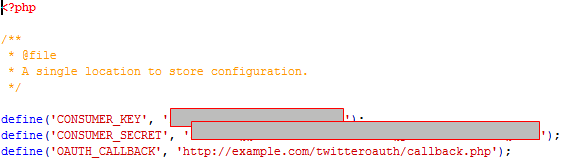
Step 2. Modify CONSUMER_KEY and CONSUMER_SECRET with your API key and API secret in "config.php".


Step 3. Try the code below to call resource - statuses/home_timeline with your Access token and Access token Secret.