Showing posts with label
change
.
Show all posts
Showing posts with label
change
.
Show all posts
Add text and change font color in Acrobat of MAC
1. Add a text box and write the words.
2. [Ctrl/Cmd+e] to open the menu and change the text color to which you want.
3. You can see
text
is now changed to the color you
choosed
.
How to fix - Mac Pro brightness of display keeps changing automatically
▉
Problem
: Brightness of display keeps changing automatically
▉
Mac Pro version
: Mid 2009
▉
OS version
: Windows 8.1
▉
How to fix :
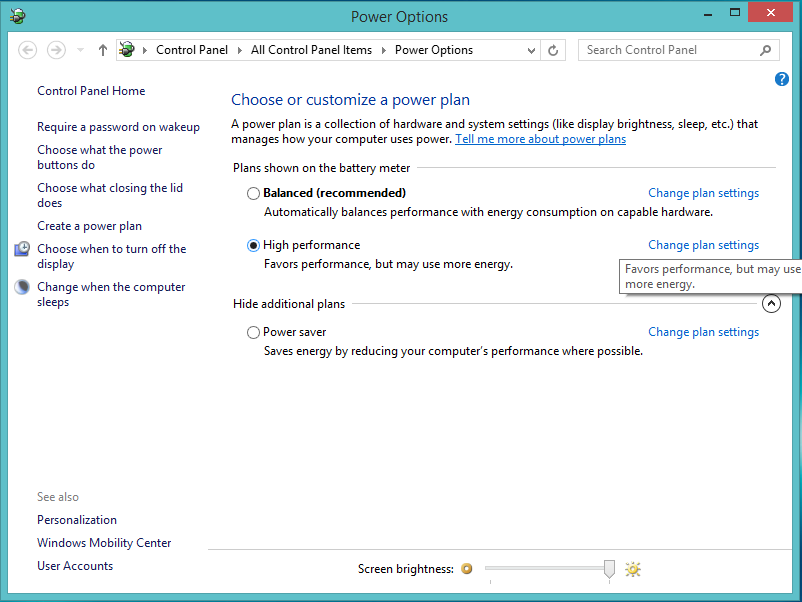
Step 1: Click the Power Icon in your right bottom of the desktop.
Step 2 : Click [Change plan settings] that right of [High Performance] Option.
Step 3 : Click [Change advanced power settings].
Step 4 : In [Display] → [Enable adaptive brightness], set the [Plugged in] as off.
Older Posts
Home
Subscribe to:
Posts (Atom)